

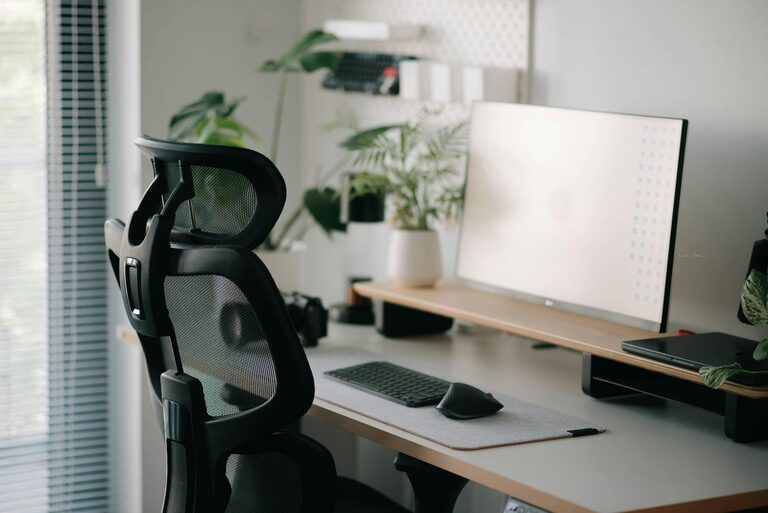
Creating a comfortable and productive home workspace is essential for anyone who spends significant time working from home. A well-designed space can improve focus, reduce stress, and keep you motivated throughout the day. Whether you’re a remote employee, freelancer, or simply need a spot for managing tasks, these tips will help you build the ideal home office.
Choose the Right Location
Find a Quiet Spot
Select a space in your home that is quiet and free from distractions. This might be a spare room, a corner in your bedroom, or a nook in your living room. Avoid high-traffic areas to minimize interruptions.
Consider Natural Light
Position your workspace near a window if possible. Natural light helps reduce eye strain and elevates mood. If natural light isn’t an option, invest in quality lighting that mimics daylight.
Invest in Ergonomic Furniture
Comfortable Chair
Your chair should support your lower back and allow your feet to rest flat on the floor. An adjustable office chair with good lumbar support promotes better posture.
Desk Height Matters
Choose a desk that fits your height. When sitting, your elbows should be at roughly 90 degrees when typing. Adjustable desks, including standing options, can help reduce fatigue by encouraging movement.
Organize Your Workspace
Declutter Regularly
Keep only the essentials on your desk to maintain a tidy environment. Clutter can distract you and reduce productivity.
Use Storage Solutions
Use shelves, drawers, or organizers to store supplies and documents. Label storage areas for easy access and keep everything in its place.
Set Up Technology Thoughtfully
Reliable Internet Connection
Make sure you have a stable and fast internet connection. This is crucial for video calls, uploading files, and overall productivity.
Proper Equipment
Use a good quality monitor, keyboard, and mouse to create a comfortable setup. Consider noise-canceling headphones for focus during calls or noisy environments.
Personalize Your Space
Add Plants or Artwork
Decorate your workspace with items that make you happy and relaxed. Plants improve air quality and add a touch of nature, while artwork or photos can inspire creativity.
Keep It Professional
Depending on your work requirements, maintain a professional background for video calls. A clean and simple backdrop enhances your presence online.
Establish Healthy Work Habits
Take Breaks
Incorporate short breaks to stretch, walk, or relax your eyes. The Pomodoro Technique (working 25 minutes, breaking 5 minutes) is a popular method.
Set a Schedule
Keep regular work hours to help separate job time from personal time. This structure aids in maintaining a work-life balance.
Move Often
Avoid sitting for prolonged periods. Try standing, stretching, or walking around when possible to keep your energy up and reduce physical discomfort.
Manage Noise and Distractions
Use Soundproofing
If noise is unavoidable, try soundproofing with rugs, curtains, or acoustic panels.
Background Music or White Noise
Play soft instrumental music or white noise to help some people concentrate better.
Keep Essentials Within Reach
Organize your desk so frequently used items like pens, notebooks, or chargers are easy to grab. This reduces interruptions and keeps your workflow smooth.
Set Boundaries With Others
If you share your home with family or roommates, communicate your work hours and the importance of minimizing disturbances during those times.
—
By thoughtfully designing your home workspace with these tips, you’ll create an environment that supports both comfort and productivity. Remember, the goal is to make your workspace a place where you feel motivated and focused, helping you do your best work every day.